Romestead: Connect to Server
In this guide, we’ll go through the steps needed to connect to your Romestead server.
Connect to your Romestead server
- Go to your DatHost Control Panel.
- Click Edit on your Romestead server.
-
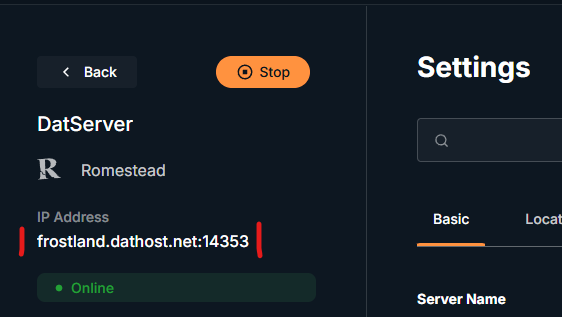
Copy or note down the server IP and Port.
- Launch Romestead.
- Click Multiplayer.
- Click Join multiplayer.
- Select the character you want to use, or create a new one.
- Click Advanced/LAN.
- Add your server IP to the Address field.
-
Add your server port to the Port field.
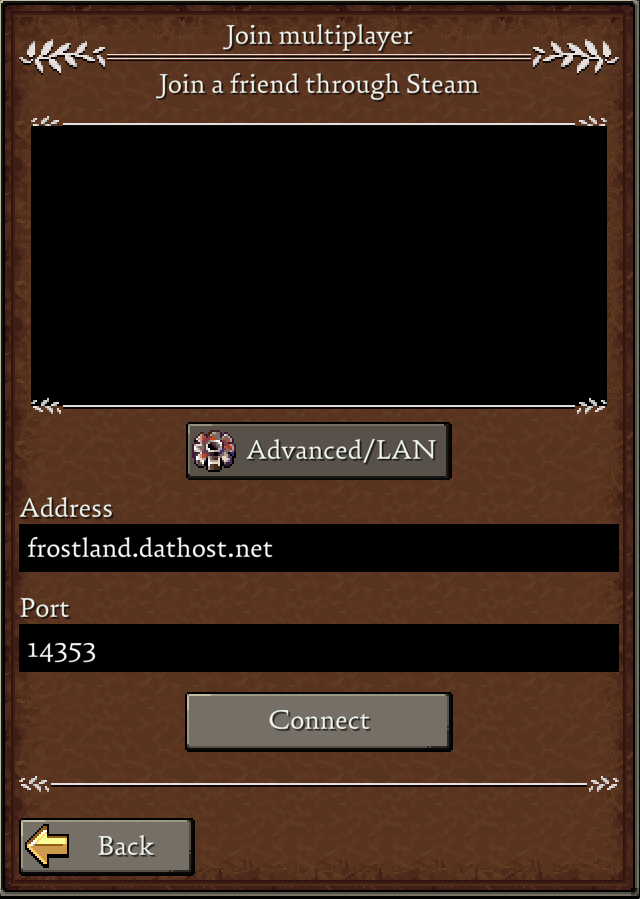
- Click Connect.
You should now be connected to your Romestead server. Enjoy your game!
Having trouble connecting?
Make sure your server is fully started in the DatHost Control Panel before joining. Also, double-check that the server IP and port are entered in the correct fields. The IP should go in Address, and the port should go in Port.