CS2: Plugins List [MetaMod & CounterStrikeSharp]
We understand that many of our CS2 server users have been eagerly awaiting the arrival of plugin support. In this informative article, we will address the current status of plugins in CS2 servers, share our plans for the future, and discuss potential workarounds for those looking to enhance their gaming experience.
As of December 2023, there are several plugins available for CS2 based on the framework known as MetaMod. Although these plugins are slightly trickier to install than it was for CS:GO, they still allow for extended functionality.
Install MetaMod & CounterStrikeSharp on your CS2 server
- 1
- Go to your DatHost Control Panel
- 2
- Click Edit on your CS2 server
- 3
- Go to the Mods & Plugins found in the left menu.
- 4
-
Activate MetaMod by clicking the "MetaMod" box.
Optionally, if you want to use CounterStrikeSharp plugins too, tick it in the one-click installer.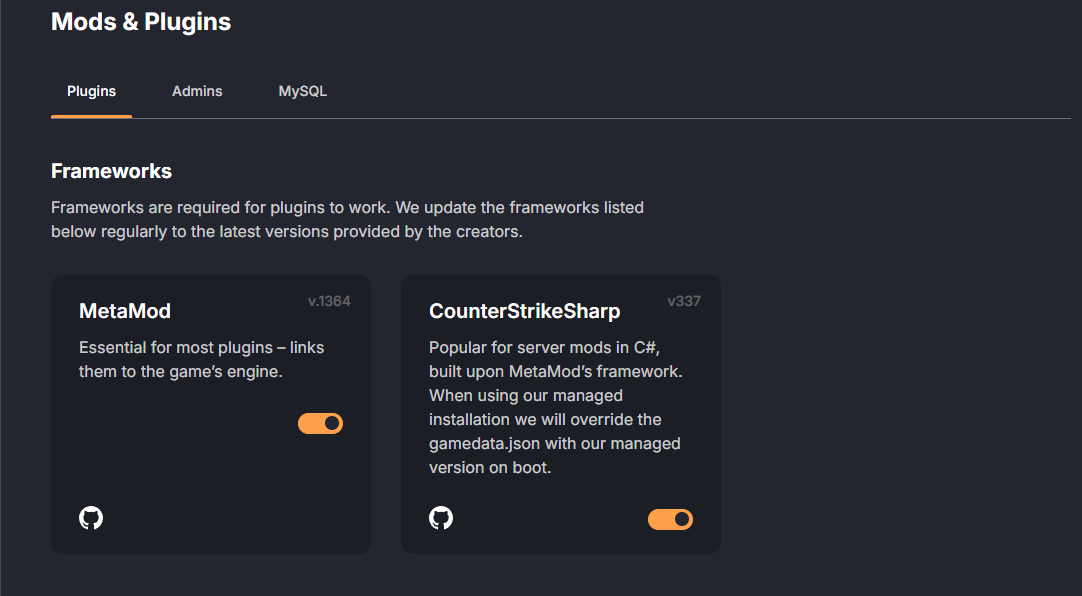
- 5
-
Save and Reboot the server. Done!
Now, you can install any MetaMod and CounterStrikeSharp plugin available in the one-click installer, or any plugin you want to upload manually through the File Manager.
List of MetaMod Plugins
| Plugin | URL | Requirements |
| CS2 Retakes | https://github.com/B3none/cs2-retakes | MetaMod & CounterStrikeSharp |
| CS2 Simple Admin | https://github.com/daffyyyy/CS2-SimpleAdmin | MetaMod & CounterStrikeSharp |
| Fake RCON | https://github.com/Salvatore-Als/cs2-fake-rcon | MetaMod |
| MatchZy | https://github.com/shobhit-pathak/MatchZy | MetaMod & CounterStrikeSharp |
| RockTheVote | https://github.com/Oz-Lin/cs2-rockthevote | MetaMod & CounterStrikeSharp |
| Surf - SharpTimer | https://github.com/Letaryat/poor-sharptimer | MetaMod & CounterStrikeSharp |
Alternative to plugins
We have made some alternative solutions for our customers so that you are still able to enjoy the freedom of CS2 servers.
PracticeMode alternative: Practice Configuration
PugSetup, scrim alternative: Scrim Configuration
Get5, tournament organizers: CS2 Match API